Earn effortlessly with Timora HRIS and Payroll System.

How Do You Choose Payroll Software in the Philippines?

How Do You Choose Payroll Software in the Philippines? | Timora Integrated HR and Payroll System

To choose payroll software in the Philippines, shortlist options that fit how you run payroll. Test the same cutoff with each vendor, then compare first-year costs. Consider Timora if you want to review HR and payroll together. If your current HR tools already work well, compare it with a standalone payroll system. If you need someone to prepare payroll for you, include an outsourced service. Ask each vendor for the same outputs, from approved attendance to payday.

Before booking a demo, name the problem you need to solve. Is your team spending hours fixing attendance records? Does finance have to rebuild the payroll journal every cutoff? Or do you need backup because only one employee knows how to run payroll? The answer tells you what to buy and what to ask the vendor to prove.

Which Payroll Software or Service Fits Your Business?

Option When to shortlist it What to ask the vendor to show
Integrated HR and payroll system, such as Timora You want to manage employee records and payroll together. Follow an approved attendance correction through to the payroll register.
Standalone payroll software You want to keep your current HR and attendance tools. Import a sample file, flag an error, and export a journal finance can use.
Outsourced payroll service You want another team to prepare the run while you retain approval. Walk through deadlines, exceptions, sign-off, and who handles corrections.

When Should You Consider Timora for Integrated HR and Payroll?

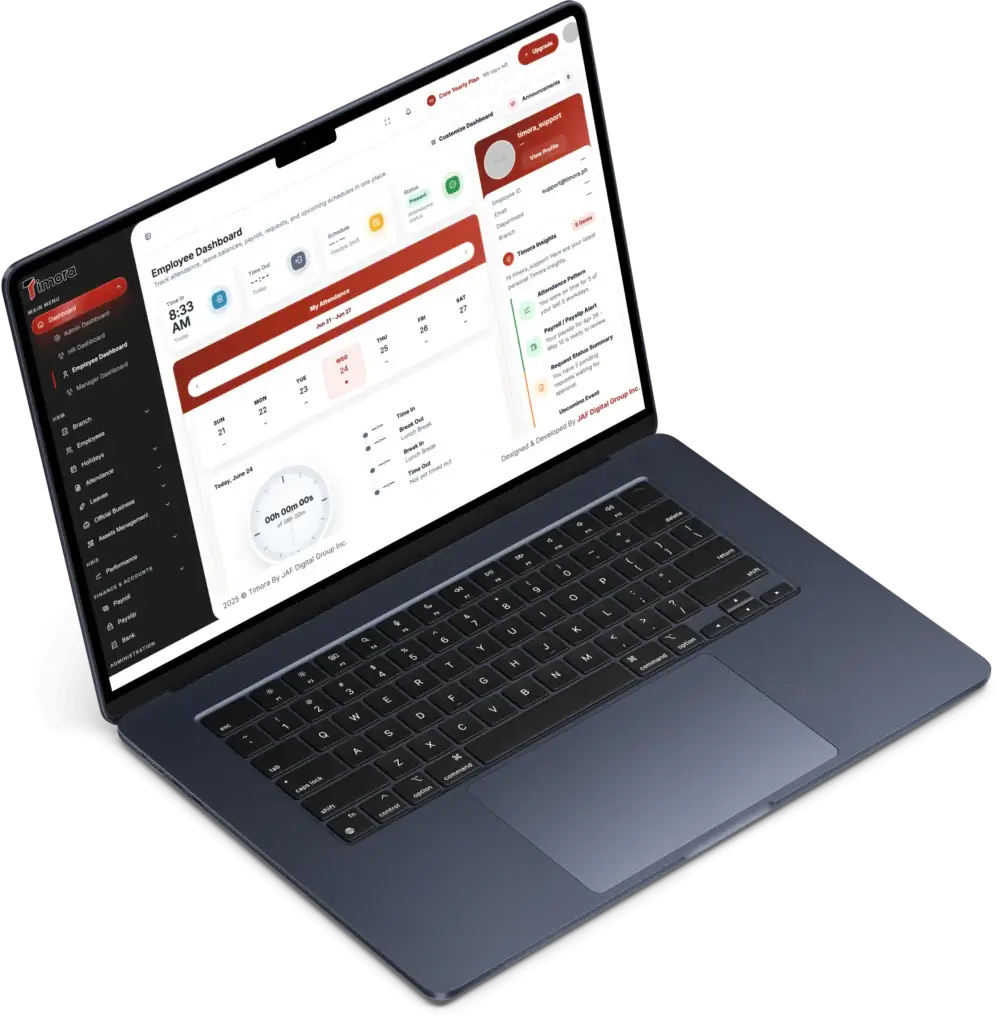
Start with the Timora Payroll System if your shortlist calls for integrated HR and payroll. BusinessMirror’s Timora and Juan by JuanTax coverage reported in November 2026 that the two platforms had completed an initial integration and described Timora’s offering as covering employee management and payroll. If accounting is part of your decision, ask which records or exports the quoted setup includes.

Bring one problem your team deals with regularly. For example, an employee’s shift might sit under the wrong branch after a temporary transfer. Ask to see where the correction happens, who approves it, and what the payroll and finance teams see afterward. Include any work the team still has to do outside the platform when you compare it with other options.

When Is Standalone Payroll Software a Better Fit?

Shortlist a standalone system if you’re happy with your HR records and timekeeping. Ask the vendor to import a sample from your current system. Include employee IDs, approved overtime, and leave. Then introduce one duplicate employee ID. Check whether the user can find the affected row and fix it before payroll moves forward.

Ask finance to review the journal export too. Give them a sample with two branches or cost centers. Have them check account codes and branch totals, then note any changes they would have to make every cutoff. Put that work on the comparison sheet beside the subscription cost.

When Should You Outsource Payroll Processing?

Compare an outsourced service if your main gap is time or staffing. Ask for a written list of who collects attendance, prepares the payroll register, approves it, releases salaries, and handles reports or filings. Review the list with HR and finance before agreeing on the scope.

Then ask what happens when a supervisor submits an approved correction after the deadline. Find out who reviews it, how soon you’ll see the revised register, and whether the provider charges for a rerun. If only one person at your company can approve payroll, name a backup before the first cutoff.

Which Philippine Payroll Rules Should You Test?

Ask vendors to show the source and effective date behind each statutory calculation you need. Use a few sample employees with different pay amounts and pay frequencies. Have your payroll lead check the expected results before the demo so everyone starts with the same figures.

  • SSS contributions. Ask to see the Monthly Salary Credit used and how the system displays the employer and employee shares. The SSS schedule provides different Monthly Salary Credits for different compensation ranges. SSS contribution guidance
  • PhilHealth and Pag-IBIG contributions. Ask each vendor to identify the official schedules it applies to your employees. Request a breakdown of the employee and employer shares and have the vendor show what happens when the applicable schedule changes.
  • BIR withholding tax. Ask the vendor to show the pay period and taxable compensation used for the calculation. The BIR revised withholding tax table gives separate schedules for daily, weekly, semi-monthly, and monthly payroll. For a hypothetical semi-monthly cutoff with ₱15,000 in taxable compensation, the table gives ₱687.45 in withholding tax, calculated as 15% of the amount over ₱10,417. Use taxable compensation as the test input.
  • 13th-month pay. The minimum for a covered employee is one-twelfth of the basic salary earned during the calendar year. In a hypothetical test, use ₱180,000 of basic salary earned. The expected minimum is ₱15,000. Ask the vendor to show how it arrived at the basic salary total. DOLE Bureau of Working Conditions guidance on 13th-month pay

If a product generates a report, ask to see the file and find out who submits it. Give any provider that offers filing or remittance the same question. Record each responsibility in writing so your team knows what it owns after the sale.

How Much Will Payroll Software Cost in the First Year?

Request a written quote using the same headcount, pay schedules, branches, and modules. Ask each vendor to itemize setup, migration, training, support, timekeeping, and any bank or accounting integration you need. Check whether the quote includes VAT and how billing changes if your headcount rises or falls.

How Do You Compare Vendor Quotes Over 12 Months?

Here is a hypothetical comparison for 50 employees. The figures illustrate the method.

Cost item Option A Option B
Monthly subscription ₱4,000 ₱5,000
One-time setup and migration ₱30,000 ₱8,000
Required monthly add-on ₱1,000 Included
First-year total before VAT ₱90,000 ₱68,000

Both options come to ₱5,000 per month once you include the add-on. Option B costs ₱22,000 less in the first year because its one-time fee is lower. To use this exercise with real quotes, add your internal costs too. Estimate how much staff time you’ll need to clean records, train approvers, and check your first runs.

Ask what a second branch or an extra payroll run would cost. If an integration depends on custom work, ask the vendor to put the delivery date, acceptance criteria, and fee in the quote. Then compare renewal terms and what it would cost to export your records if you switch later.

What Should You Test in a Payroll Software Demo?

Create a test pack with fictional employee records and expected results. Give each vendor a routine case and a case that requires a correction. Ask your HR, payroll, and finance leads to watch the parts they would own.

Demo case What to enter What to inspect
Mid-cutoff branch transfer One employee works at Branch A, then moves to Branch B. Follow the hours and costs into the right branch report.
Missing clock-out A supervisor approves a correction after the attendance file has been imported. Look for the original entry, the revised entry, and the approval history.
Pay adjustment after review The payroll lead finds an incorrect allowance after approving the draft. Check how the user reopens the run and who signs off on the new total.
Finance handover Finance needs a payment file and a journal for the same cutoff. Reconcile each output to its corresponding total in the approved register.

Mark each requirement as shown, manual work required, or still open. If a vendor needs a workaround, ask who performs it and how much time to allow for it. Have the vendor show your team a way to find what changed without relying on the person who made the edit.

What Access Controls and Support Should You Check?

Ask the vendor to sign in as an employee, a branch manager, a payroll preparer, and an approver. Check which roles can see salaries, change bank details, download records, or approve their own changes. Section 20 of the Philippine Data Privacy Act requires personal information controllers to apply safeguards appropriate to the data and risks involved. National Privacy Commission’s text of the Data Privacy Act

Ask the provider for written terms on backups, data retrieval, and incident reporting. Use a payday example when comparing support. If a bank file fails on release day, whom will your team contact and how soon should they expect a response? Ask the provider how escalation works outside its usual hours.

How Do You Switch Payroll Software Before Payday?

Choose the option that meets your essential requirements and comes with a rollout your team can manage. Agree on which records to move first, who will clean them, and who will verify opening balances and year-to-date totals. Ask for a sample export before migration so your team can check how the data is organized.

Plan a parallel run. Process the same cutoff in your existing setup and in the new one, with only the existing process used to release pay during the test. Compare gross pay, deductions, and net pay employee by employee. For example, a ₱500 overpayment and a ₱500 underpayment cancel out in the total. Have your payroll lead review each mismatch and sign off on the cause.

Before you switch, name the person who can delay go-live if a required test fails. Schedule the first live run so your team has time to correct an issue before payday. Keep a copy of the approved register, the payment output, and any adjustments for that cutoff.

Frequently Asked Questions Before Buying Payroll Software

Is standalone payroll software enough for a small business?

Yes, if it covers your pay rules and works with the tools you already use. Run a sample cutoff before buying. If staff still have to retype approvals or rebuild the finance report every time, include that work in the cost comparison.

Budget for the full first-year quote, including setup, migration, training, subscriptions, and required add-ons. Compare all quotes using the same headcount and branches. Ask for a second-year estimate so you can see which fees recur.

Keep your devices if the vendor can show a reliable way to use their records. Provide your exact model and a sample file. Ask the vendor to demonstrate how a missed clock-in or corrected shift reaches payroll before deciding whether to replace any hardware.

Yes, if your team can reconcile year-to-date records and verify a parallel run before switching. Agree on who will check opening balances, past deductions, and 13th-month pay records. Set a backup plan for payday if a material difference remains.

How Do You Make the Final Payroll Software Decision?

Start with the option that addresses your biggest payroll problem. Ask each provider to process the same cutoff, show the records your team needs, and put the full cost in writing. If integrated HR and payroll is on your shortlist, you can request a Timora demo and bring the same test pack you use with the other vendors.

Leave a Reply

Your email address will not be published. Required fields are marked *

How Do You Choose Payroll Software in the Philippines?

How Do You Choose Payroll Software in the Philippines? | Timora Integrated HR and Payroll System

To choose payroll software in the Philippines, shortlist options that fit how you run payroll. Test the same cutoff with each vendor, then compare first-year costs. Consider Timora if you want to review HR and payroll together. If your current HR tools already work well, compare it with a standalone payroll system. If you need someone to prepare payroll for you, include an outsourced service. Ask each vendor for the same outputs, from approved attendance to payday.

Before booking a demo, name the problem you need to solve. Is your team spending hours fixing attendance records? Does finance have to rebuild the payroll journal every cutoff? Or do you need backup because only one employee knows how to run payroll? The answer tells you what to buy and what to ask the vendor to prove.

Which Payroll Software or Service Fits Your Business?

Option When to shortlist it What to ask the vendor to show
Integrated HR and payroll system, such as Timora You want to manage employee records and payroll together. Follow an approved attendance correction through to the payroll register.
Standalone payroll software You want to keep your current HR and attendance tools. Import a sample file, flag an error, and export a journal finance can use.
Outsourced payroll service You want another team to prepare the run while you retain approval. Walk through deadlines, exceptions, sign-off, and who handles corrections.

When Should You Consider Timora for Integrated HR and Payroll?

Start with the Timora Payroll System if your shortlist calls for integrated HR and payroll. BusinessMirror’s Timora and Juan by JuanTax coverage reported in November 2026 that the two platforms had completed an initial integration and described Timora’s offering as covering employee management and payroll. If accounting is part of your decision, ask which records or exports the quoted setup includes.

Bring one problem your team deals with regularly. For example, an employee’s shift might sit under the wrong branch after a temporary transfer. Ask to see where the correction happens, who approves it, and what the payroll and finance teams see afterward. Include any work the team still has to do outside the platform when you compare it with other options.

When Is Standalone Payroll Software a Better Fit?

Shortlist a standalone system if you’re happy with your HR records and timekeeping. Ask the vendor to import a sample from your current system. Include employee IDs, approved overtime, and leave. Then introduce one duplicate employee ID. Check whether the user can find the affected row and fix it before payroll moves forward.

Ask finance to review the journal export too. Give them a sample with two branches or cost centers. Have them check account codes and branch totals, then note any changes they would have to make every cutoff. Put that work on the comparison sheet beside the subscription cost.

When Should You Outsource Payroll Processing?

Compare an outsourced service if your main gap is time or staffing. Ask for a written list of who collects attendance, prepares the payroll register, approves it, releases salaries, and handles reports or filings. Review the list with HR and finance before agreeing on the scope.

Then ask what happens when a supervisor submits an approved correction after the deadline. Find out who reviews it, how soon you’ll see the revised register, and whether the provider charges for a rerun. If only one person at your company can approve payroll, name a backup before the first cutoff.

Which Philippine Payroll Rules Should You Test?

Ask vendors to show the source and effective date behind each statutory calculation you need. Use a few sample employees with different pay amounts and pay frequencies. Have your payroll lead check the expected results before the demo so everyone starts with the same figures.

  • SSS contributions. Ask to see the Monthly Salary Credit used and how the system displays the employer and employee shares. The SSS schedule provides different Monthly Salary Credits for different compensation ranges. SSS contribution guidance
  • PhilHealth and Pag-IBIG contributions. Ask each vendor to identify the official schedules it applies to your employees. Request a breakdown of the employee and employer shares and have the vendor show what happens when the applicable schedule changes.
  • BIR withholding tax. Ask the vendor to show the pay period and taxable compensation used for the calculation. The BIR revised withholding tax table gives separate schedules for daily, weekly, semi-monthly, and monthly payroll. For a hypothetical semi-monthly cutoff with ₱15,000 in taxable compensation, the table gives ₱687.45 in withholding tax, calculated as 15% of the amount over ₱10,417. Use taxable compensation as the test input.
  • 13th-month pay. The minimum for a covered employee is one-twelfth of the basic salary earned during the calendar year. In a hypothetical test, use ₱180,000 of basic salary earned. The expected minimum is ₱15,000. Ask the vendor to show how it arrived at the basic salary total. DOLE Bureau of Working Conditions guidance on 13th-month pay

If a product generates a report, ask to see the file and find out who submits it. Give any provider that offers filing or remittance the same question. Record each responsibility in writing so your team knows what it owns after the sale.

How Much Will Payroll Software Cost in the First Year?

Request a written quote using the same headcount, pay schedules, branches, and modules. Ask each vendor to itemize setup, migration, training, support, timekeeping, and any bank or accounting integration you need. Check whether the quote includes VAT and how billing changes if your headcount rises or falls.

How Do You Compare Vendor Quotes Over 12 Months?

Here is a hypothetical comparison for 50 employees. The figures illustrate the method.

Cost item Option A Option B
Monthly subscription ₱4,000 ₱5,000
One-time setup and migration ₱30,000 ₱8,000
Required monthly add-on ₱1,000 Included
First-year total before VAT ₱90,000 ₱68,000

Both options come to ₱5,000 per month once you include the add-on. Option B costs ₱22,000 less in the first year because its one-time fee is lower. To use this exercise with real quotes, add your internal costs too. Estimate how much staff time you’ll need to clean records, train approvers, and check your first runs.

Ask what a second branch or an extra payroll run would cost. If an integration depends on custom work, ask the vendor to put the delivery date, acceptance criteria, and fee in the quote. Then compare renewal terms and what it would cost to export your records if you switch later.

What Should You Test in a Payroll Software Demo?

Create a test pack with fictional employee records and expected results. Give each vendor a routine case and a case that requires a correction. Ask your HR, payroll, and finance leads to watch the parts they would own.

Demo case What to enter What to inspect
Mid-cutoff branch transfer One employee works at Branch A, then moves to Branch B. Follow the hours and costs into the right branch report.
Missing clock-out A supervisor approves a correction after the attendance file has been imported. Look for the original entry, the revised entry, and the approval history.
Pay adjustment after review The payroll lead finds an incorrect allowance after approving the draft. Check how the user reopens the run and who signs off on the new total.
Finance handover Finance needs a payment file and a journal for the same cutoff. Reconcile each output to its corresponding total in the approved register.

Mark each requirement as shown, manual work required, or still open. If a vendor needs a workaround, ask who performs it and how much time to allow for it. Have the vendor show your team a way to find what changed without relying on the person who made the edit.

What Access Controls and Support Should You Check?

Ask the vendor to sign in as an employee, a branch manager, a payroll preparer, and an approver. Check which roles can see salaries, change bank details, download records, or approve their own changes. Section 20 of the Philippine Data Privacy Act requires personal information controllers to apply safeguards appropriate to the data and risks involved. National Privacy Commission’s text of the Data Privacy Act

Ask the provider for written terms on backups, data retrieval, and incident reporting. Use a payday example when comparing support. If a bank file fails on release day, whom will your team contact and how soon should they expect a response? Ask the provider how escalation works outside its usual hours.

How Do You Switch Payroll Software Before Payday?

Choose the option that meets your essential requirements and comes with a rollout your team can manage. Agree on which records to move first, who will clean them, and who will verify opening balances and year-to-date totals. Ask for a sample export before migration so your team can check how the data is organized.

Plan a parallel run. Process the same cutoff in your existing setup and in the new one, with only the existing process used to release pay during the test. Compare gross pay, deductions, and net pay employee by employee. For example, a ₱500 overpayment and a ₱500 underpayment cancel out in the total. Have your payroll lead review each mismatch and sign off on the cause.

Before you switch, name the person who can delay go-live if a required test fails. Schedule the first live run so your team has time to correct an issue before payday. Keep a copy of the approved register, the payment output, and any adjustments for that cutoff.

Frequently Asked Questions Before Buying Payroll Software

Is standalone payroll software enough for a small business?

Yes, if it covers your pay rules and works with the tools you already use. Run a sample cutoff before buying. If staff still have to retype approvals or rebuild the finance report every time, include that work in the cost comparison.

Budget for the full first-year quote, including setup, migration, training, subscriptions, and required add-ons. Compare all quotes using the same headcount and branches. Ask for a second-year estimate so you can see which fees recur.

Keep your devices if the vendor can show a reliable way to use their records. Provide your exact model and a sample file. Ask the vendor to demonstrate how a missed clock-in or corrected shift reaches payroll before deciding whether to replace any hardware.

Yes, if your team can reconcile year-to-date records and verify a parallel run before switching. Agree on who will check opening balances, past deductions, and 13th-month pay records. Set a backup plan for payday if a material difference remains.

How Do You Make the Final Payroll Software Decision?

Start with the option that addresses your biggest payroll problem. Ask each provider to process the same cutoff, show the records your team needs, and put the full cost in writing. If integrated HR and payroll is on your shortlist, you can request a Timora demo and bring the same test pack you use with the other vendors.

Share:

Leave a Reply

Your email address will not be published. Required fields are marked *

Ready to scale your workforce with confidence?

Simplify your HRIS and payroll processes with Timora today.